 Nationwide Shipping Across NZ



Troubleshooting Auto Darkening Helmets: Common Problems & Remedies
Need some help troubleshooting your auto darkening welding helmet? You”re in the right place! Below are some common issues and how to fix them.

Getting Started
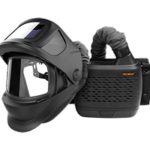
Auto darkening helmets are designed to protect your eyes, face, and head from sparks, spatter, and harmful radiation under normal welding conditions. The auto darkening filter (ADF) automatically activates when you pick up the helmet, switching from a light to a dark state when a welding arc is struck. It reverts to a light state once welding stops.
Before use, follow these steps:
-
Ensure the helmet fits properly and adjust the headband to suit your needs.
-
Check the battery condition, surfaces, and contacts. Clean them if necessary.
-
Verify the battery is installed correctly.
-
Adjust the delay time, sensitivity, and shade number specific to your welding application.
-
Confirm the ADF is set to welding/cutting mode, not grind mode.
Common Problems & Remedies
Irregular Darkening/Dimming
-
Issue: Headband is uneven, causing an uneven distance from the eyes to the filter lens.
-
Fix: Reset the headband to reduce the distance variation to the filter.
Auto Darkening Filter Does Not Darken or Flickers
Possible Causes:
- Front cover lens is dirty or damaged – Fix: Change the cover lens.
- Sensors are dirty – Fix: Clean the sensor surfaces.
- Welding current is too low – Fix: Increase the sensitivity level.
- Battery issue – Fix: Check the battery, ensuring it is in good condition and installed properly. Clean the battery surface and contacts if needed.
Slow Response
-
Issue: Operating temperature is too low.
-
Fix: Avoid using the helmet at temperatures below -5°C.
Poor Vision
Possible Causes:
-
Front or inside cover lens and/or the filter is dirty – Fix: Change the lens.
-
Insufficient ambient light. Fix: Change the lens.
-
Incorrect shade number setting – Fix: Adjust the shade number.
-
Protective film not removed from the front cover lens – Fix: Remove the film.
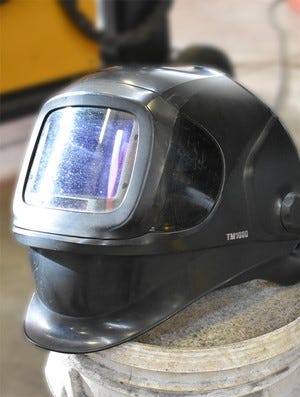
Welding Helmet Slips
-
Issue: Headband is not properly adjusted.
-
Fix: Readjust the headband for a snug fit.
When to Stop Using the Helmet
If any of the above problems cannot be corrected, stop using the helmet immediately and contact your supplier. Ensuring proper function is essential to your safety and performance.


 Available to everyone
 View stock levels & shipping times
 Access to trade accounts, & order history